
- Go to Gmail.com and log into your account.
- Click the gear icon at the top right corner.
- Click ‘See all settings.’
- Click on the ‘Filters and Blocked Addresses’ tab at the top.
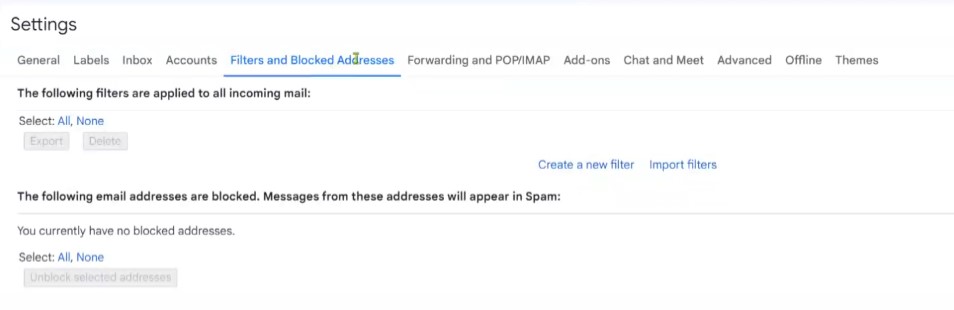
5. Click on ‘Create a new filter’
6. Enter the email address or domain of the person you want to add to your safe senders list.

7. Click ‘Create Filter.’
8. Then select ‘Never send it to Spam’

9. Click on ‘Create filter’
Yes. This article was helpful.
Thanks